Your Canada Journey, Simplified.
Work, Study, PR, Sponsorship & Complex Immigration Cases — strategically built, RCIC-evaluated, and fully supported from start to finish.



From 400+ ratings
Trusted by students, skilled workers, couples, employers, and families across Canada & globally.
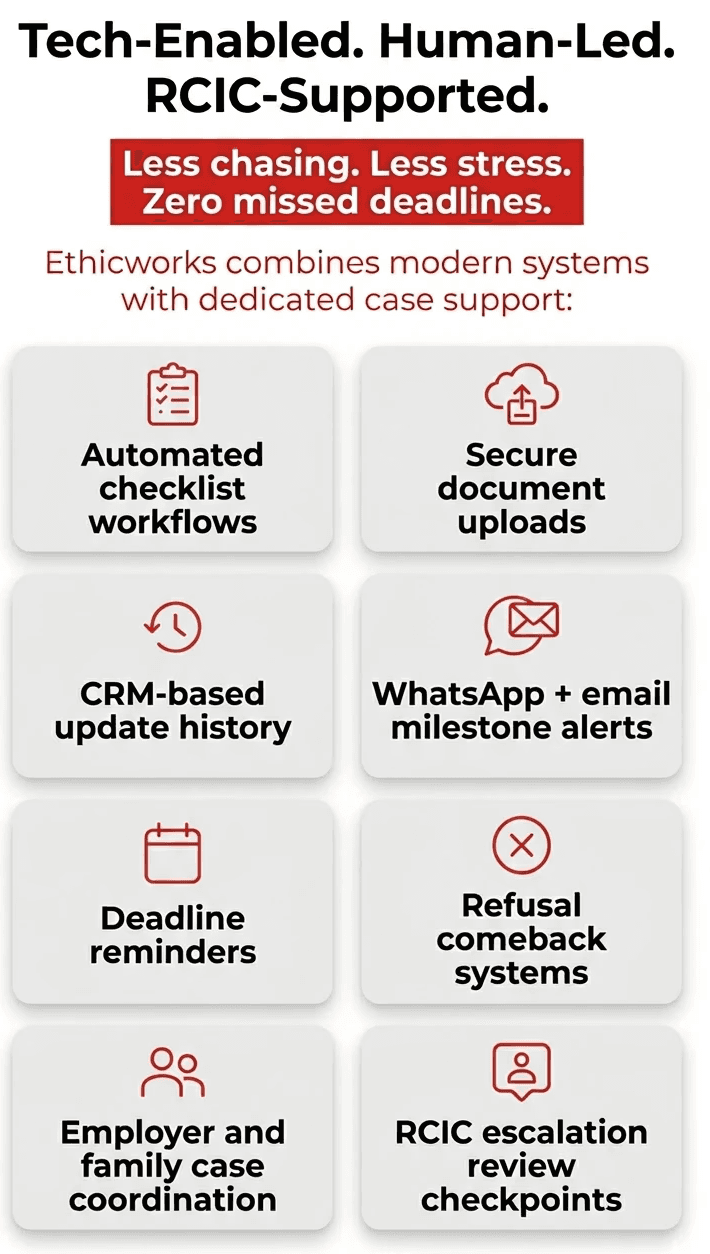
✔ RCIC-evaluated pathways
✔ IRCC-aligned filing support
✔ End-to-end documentation workflows
✔ Fast response team
✔ Tech-enabled case tracking
RCIC-evaluated pathways
IRCC-aligned filing support
End-to-end documentation workflows
Fast response team
Tech-enabled case tracking
OUR SERVICES

Study Permits & Academic Pathway
Study permits, extensions, DLIs, college transfers, PGWP planning, SOP and LOE support.

Work Permit Solutions
LMIA, SOWP, PGWP, employer-specific permits, AIP support letters, RCIC-supported work permit pathways.

PR & Express Entry
Express Entry, PNP, CEC, FSW, CRS optimization, PR after PGWP, RCIC-evaluated PR strategy.

Sponsorship & Reunification
Spousal sponsorship, inland/outland, parents, super visa, child sponsorship, family

Visitor, Super Visa & Extensions
Visitor visas, super visas, visitor records, convocation and family event visas.

Comeback Strategy
Refusals, GCMS strategy, restoration, maintained status, vulnerable worker permits, PFL responses, RCIC-supported reapplication strategy.


What our customers say
Our customers are at the heart of everything we do. We listen to your needs and tailor our services to meet them.




Latest blog posts
Our blog is designed to help you understand your better and provide valuable insights to keep it running smoothly.






Frequently Asked Questions
Which visa is right for me?

The right visa depends on your purpose of travel, background, and long-term goals—such as studying, working, visiting, or immigrating. Our system evaluates multiple factors like your education, work experience, financial profile, and immigration history to suggest suitable pathways. However, visa eligibility is always assessed by Immigration, Refugees and Citizenship Canada (IRCC), and final decisions remain at their discretion.
Can I apply after refusal?
Yes, you can reapply after a refusal. In fact, many successful applications are approved after addressing previous concerns. Before reapplying, it’s important to: Understand the refusal reasons Strengthen documentation Correct gaps or inconsistencies Our review process focuses on identifying refusal grounds and improving your application. That said, re-approval is not guaranteed, as IRCC evaluates each case independently.
Can my spouse work in Canada?
In many cases, spouses of international students or skilled workers may be eligible for an open work permit. Eligibility depends on factors such as: Your visa type (study/work) Your institution or job classification Current IRCC policies at the time of application Since policies may change, we assess your situation based on the latest available guidelines, but final approval rests with IRCC.
What happens after PGWP?
After completing your Post-Graduation Work Permit (PGWP), you can gain Canadian work experience, which may help you qualify for permanent residency (PR). Common pathways include: Express Entry (Canadian Experience Class) Provincial Nominee Programs (PNPs) Your eligibility depends on factors like work experience, language scores, and CRS ranking. Immigration pathways are competitive and subject to change based on IRCC policies.
How long does PR take?
Processing times for permanent residency vary depending on the program and application volume. For example: Express Entry: typically around 6 months (after ITA) PNPs or other streams: may take longer However, timelines are estimates provided by IRCC and can change due to application complexity, document verification, or policy updates. Delays may occur, and outcomes are not guaranteed.
Can parents visit for convocation?
Yes, parents can apply for a visitor visa to attend your convocation ceremony. To improve approval chances: Provide a formal invitation letter Include proof of event (convocation details) Show strong ties to home country Each application is assessed individually by IRCC, and approval depends on factors like travel history, finances, and intent to return.
Is my case reviewed by an RCIC?
Yes. Your application is reviewed, supervised, and submitted by a licensed Regulated Canadian Immigration Consultant (RCIC), depending on the service selected. This means: Your case is carefully assessed by qualified professionals Documentation and strategy are reviewed under RCIC supervision The final application is submitted by an authorized RCIC representative We follow strict compliance standards and best practices throughout the process. However, all decisions are made solely by Immigration, Refugees and Citizenship Canada (IRCC), and outcomes remain at their discretion.
What if my case is urgent or complex?
If your case is urgent or involves complications (such as refusals, status issues, or tight deadlines), we offer priority handling and in-depth assessment. Complex cases may require: Additional documentation Legal or regulatory interpretation Strategic application planning While we aim to strengthen your application, outcomes remain subject to IRCC’s review and discretion.

Ready to Move Forward?
Let's build your strongest Canada file together — with RCIC-supported strategy and a team that stays with you till decision.
Response within 24 business hours. · RCIC-evaluated pathways. · Human-first support. · Better outcomes.